Delete Idle Galaxy Account
Follow the steps below to permanently delete your game account and all associated data. This action cannot be undone.
Step 1: Open Settings
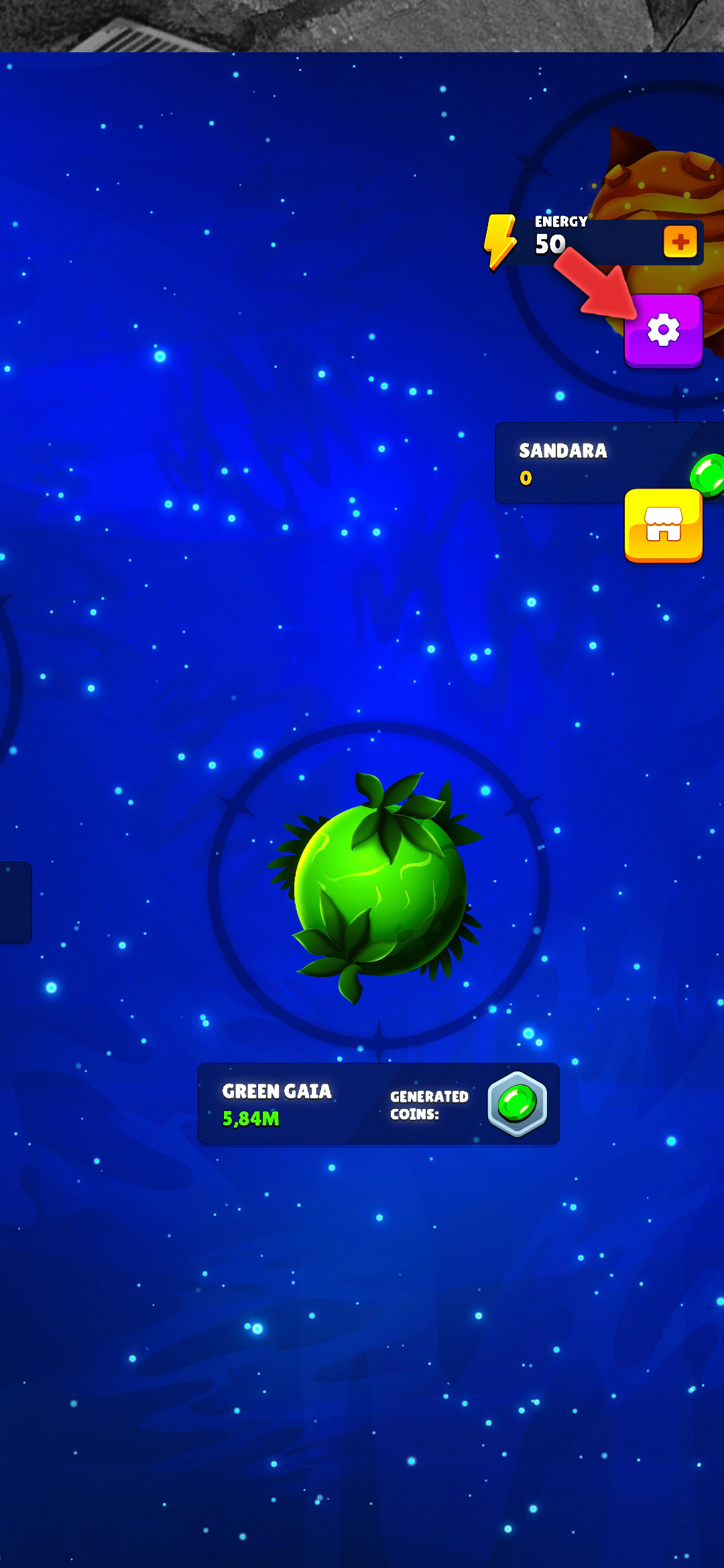
In the game, tap on the settings icon to open the settings menu.
Step 2: Find Delete Button
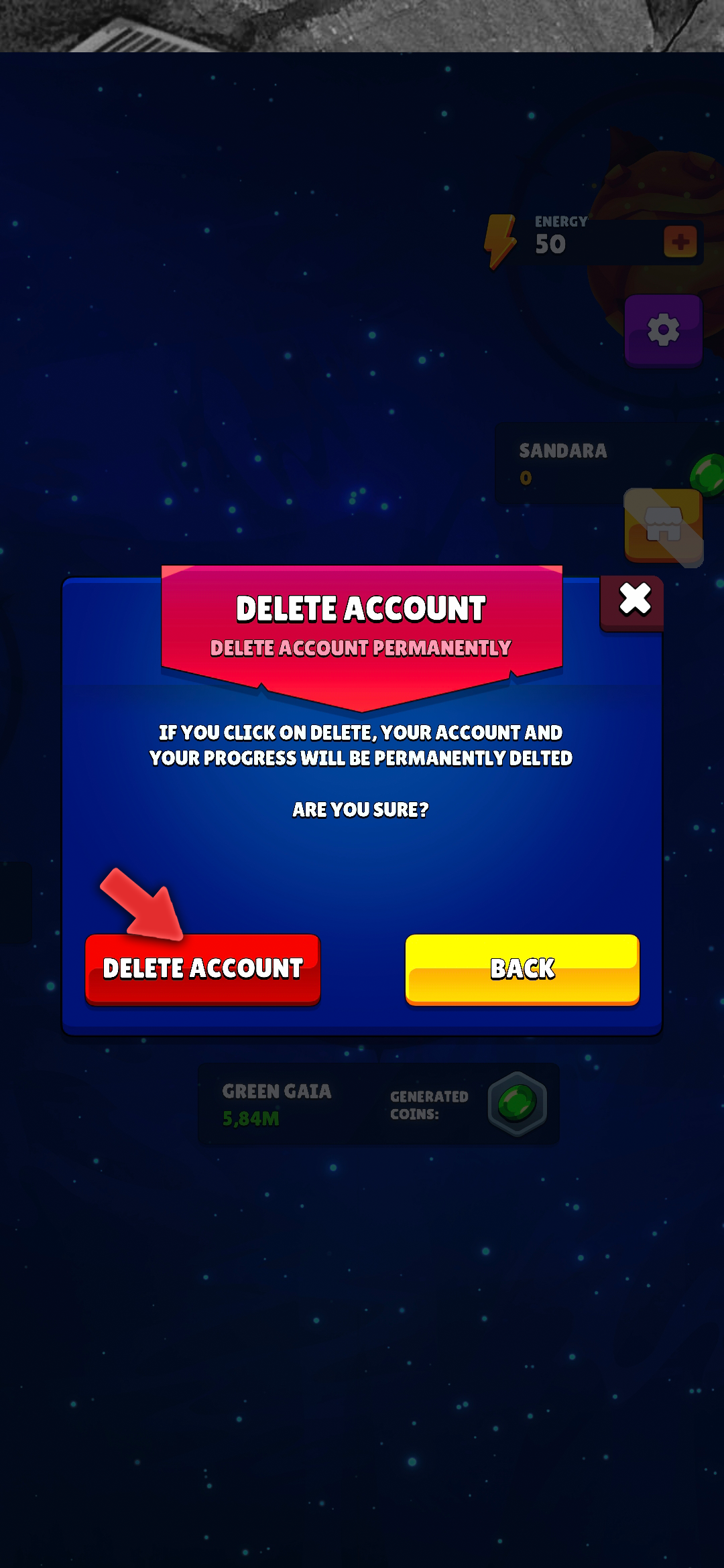
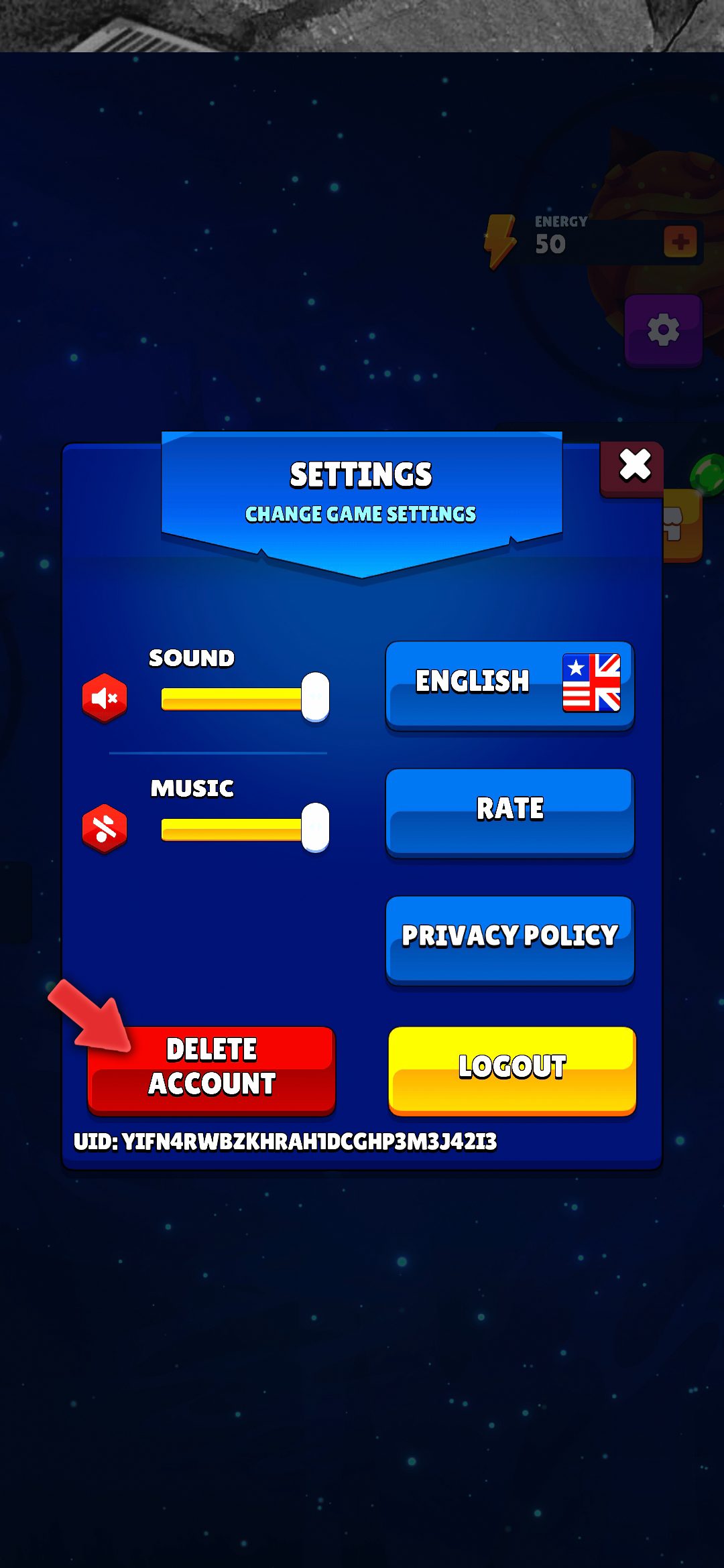
In the settings menu, locate and tap the "Delete Account" button.
Step 3: Confirm Deletion
A confirmation dialog will appear. Tap "Confirm" to permanently delete your account and all associated data.